Never Bring Your Own Printer Again! Walk into 7-Eleven Empty-Handed and Print with ibon Cloud Print
When a major disaster hits, power outages and communication blackouts are very real possibilities. In moments like that, paper documents you've printed out in advance can become a real survival lifeline. That's why we recommend everyone take some time, while things are calm, to get familiar with the emergency shelters and facilities near your home — or look up the emergency evacuation map your local government has prepared, print it out, and tuck it into your go-bag.
(Related column: What is the "Village & Neighborhood Evacuation Map" every community has — and where do I download mine?)
Today, I'm going to walk you through how to upload the files you want to print to the cloud and then print them at 7-Eleven — no USB drive required. It's genuinely convenient.
(Note: "ibon Cloud Print" was redesigned in 2024. The screenshots and instructions below have been updated to match the new version.)
Part 1 — Upload your files to the cloud
First, upload the files you want to print to ibon Cloud Print. (You don't need to be at 7-Eleven yet — you can do this from home.)
- Site name: ibon Cloud Print
- URL: https://print.ibon.com.tw/ibonprinter
- Language: Traditional Chinese
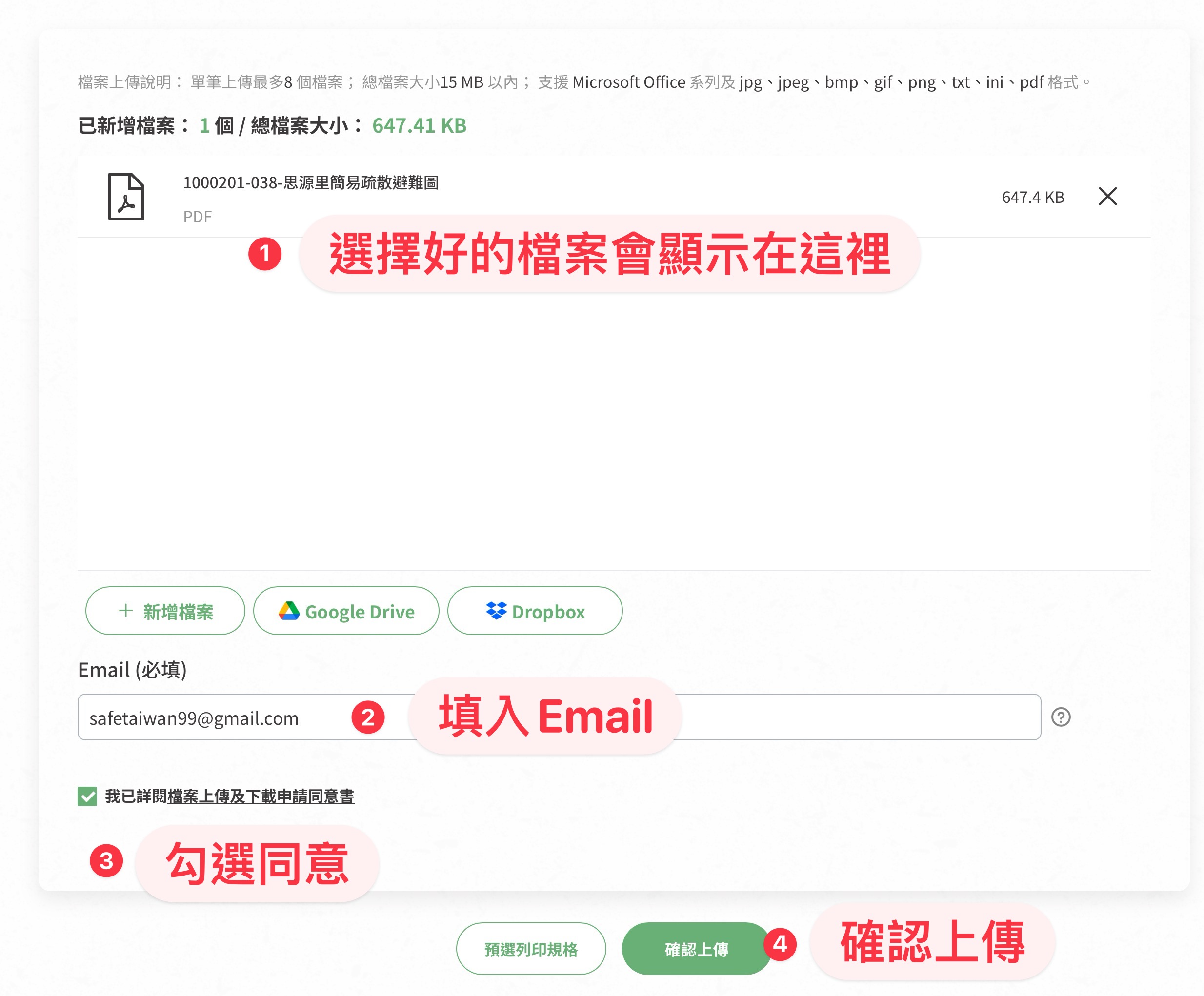
1. Open the website and upload your files
Click "Add files," or drag and drop the files you want to print into the page. (File size limit: 15MB; up to 8 files per upload. Supported formats: Microsoft Office files, plus jpg, jpeg, bmp, gif, png, txt, ini, and pdf.)

2. Once your files are uploaded, enter your email
We recommend using an email account you can access from your phone, because the site will automatically send the print QR code to that address. Tick the consent box, then click "Confirm upload."

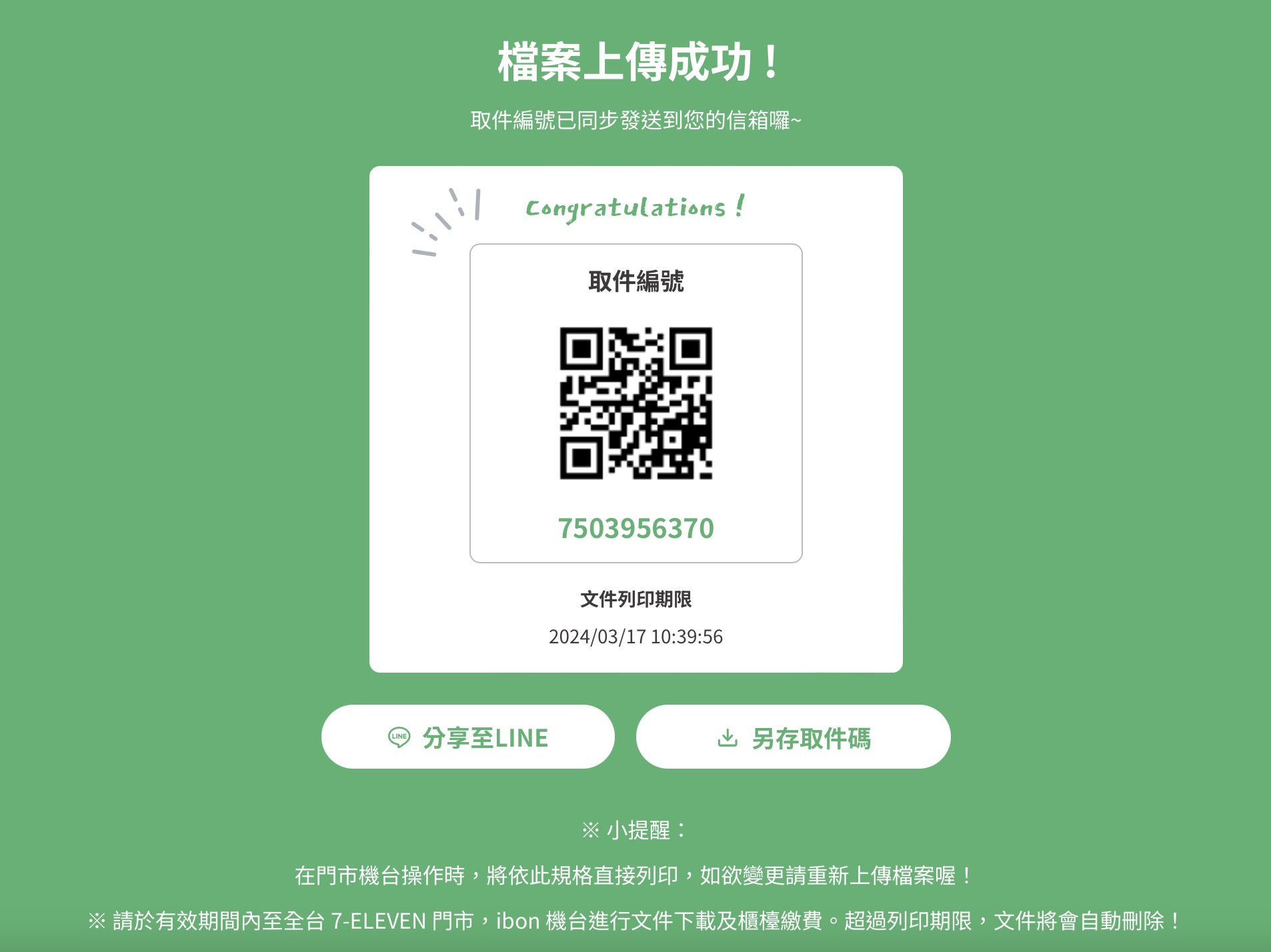
3. Upload successful — save or share your pickup code (or check your email)
Part 2 — Print at 7-Eleven
The next steps happen at the ibon kiosk inside any 7-Eleven.
1. Let the staff know you'd like to use the print function
Wait until the staff has switched on the printer/copier — if it isn't activated, the kiosk won't be able to print.
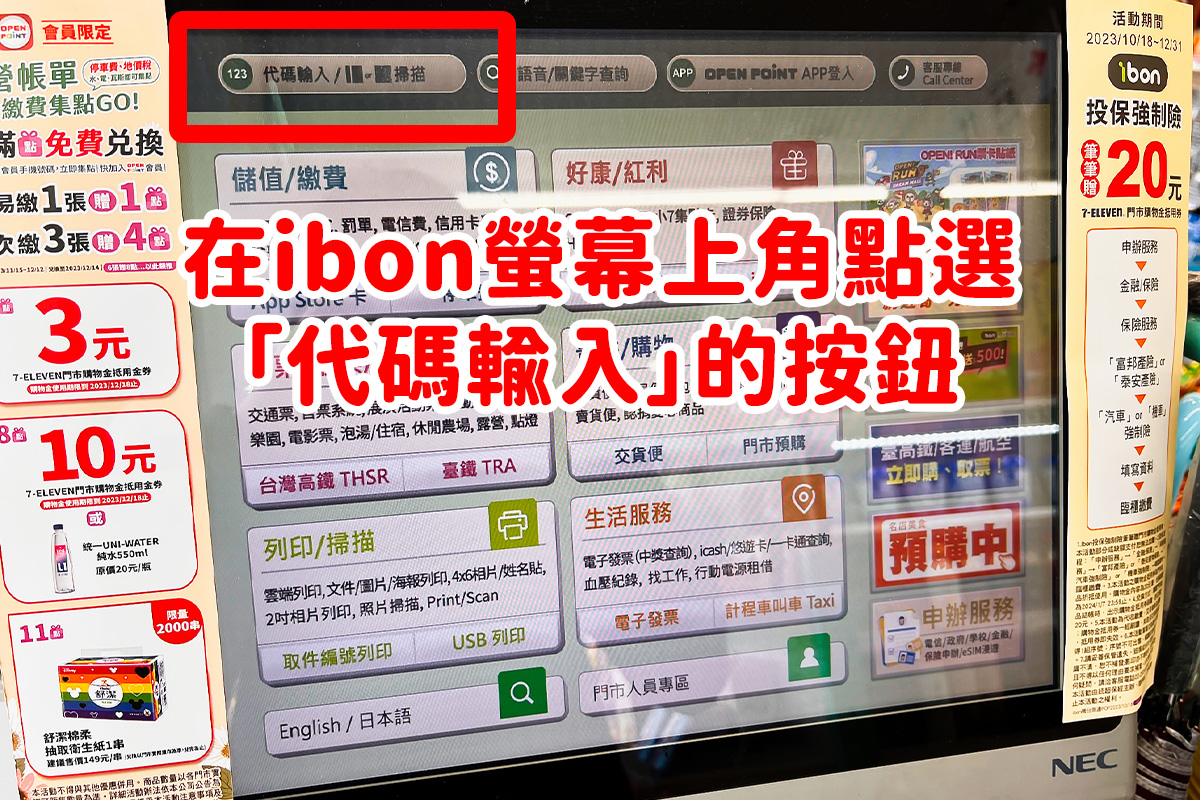
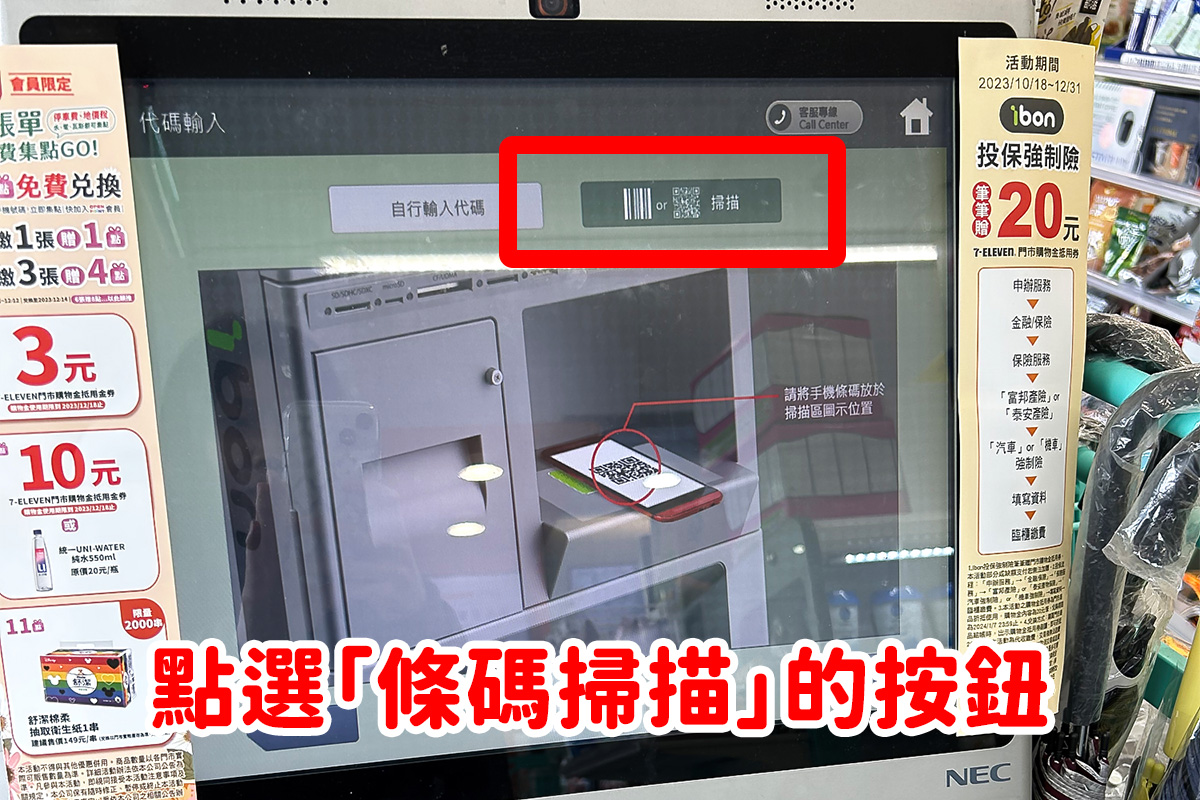
2. On the kiosk screen, tap "Code Entry"
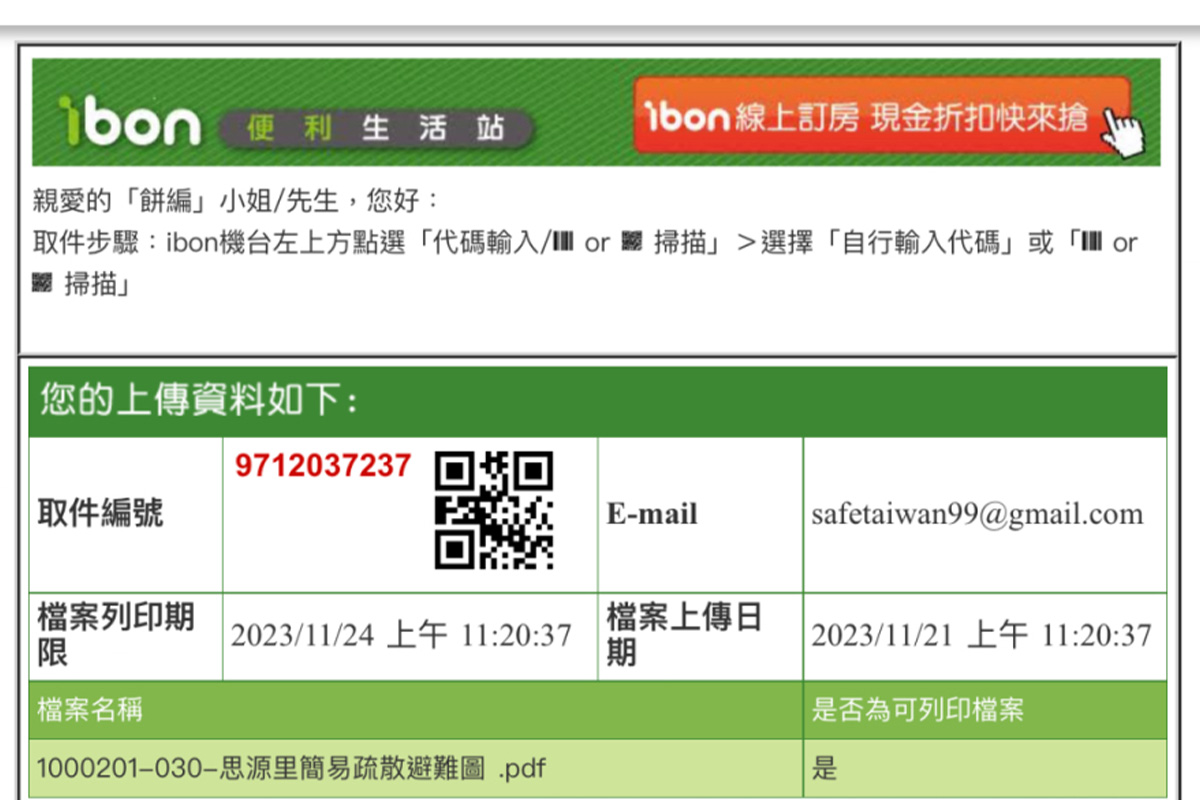
3. Open the pickup code you saved earlier, and choose either "Enter code manually" or "Scan"
(The photos below show the "Scan" method.)
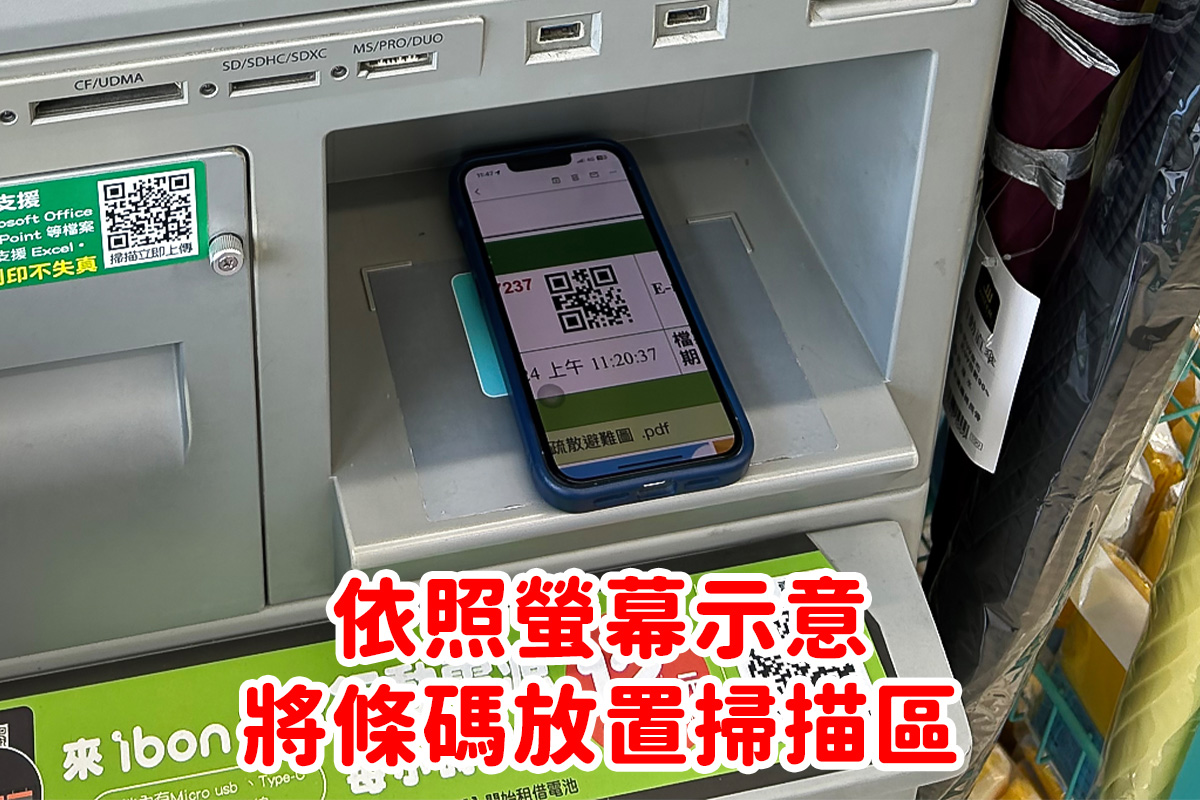
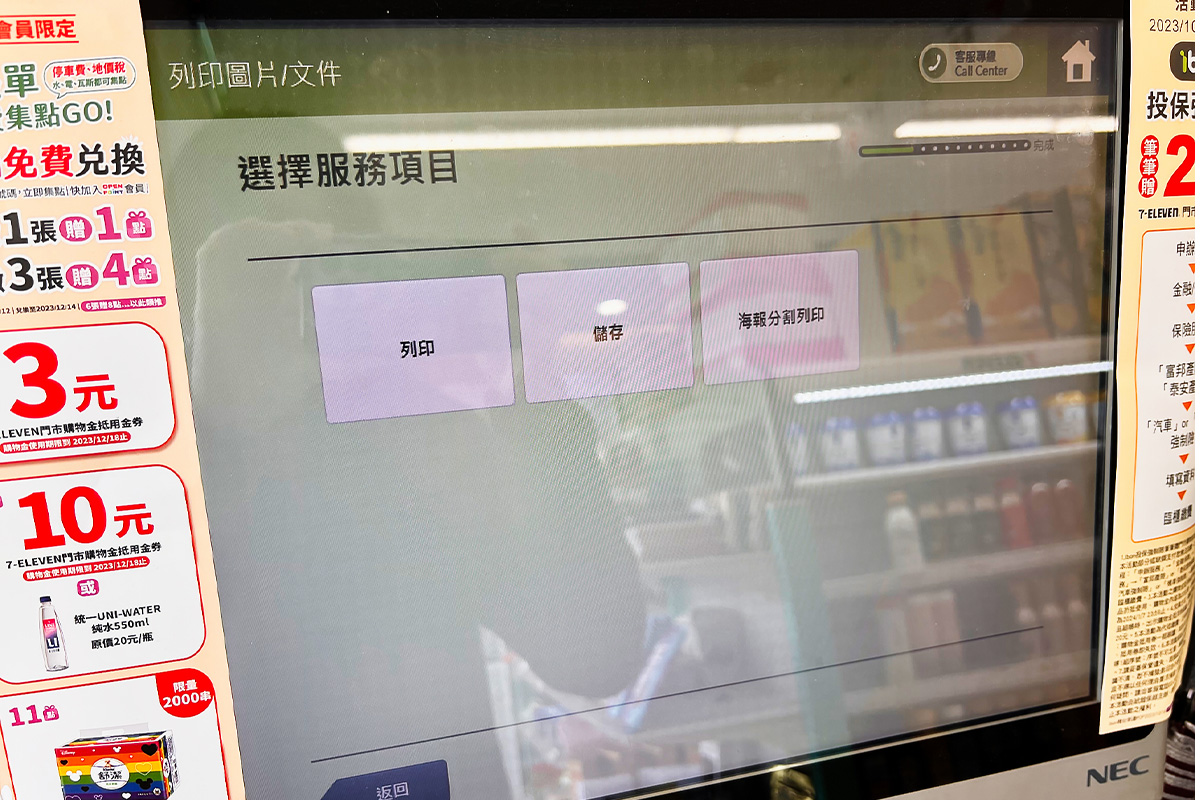
4. ibon will move to the next page — choose "Print"
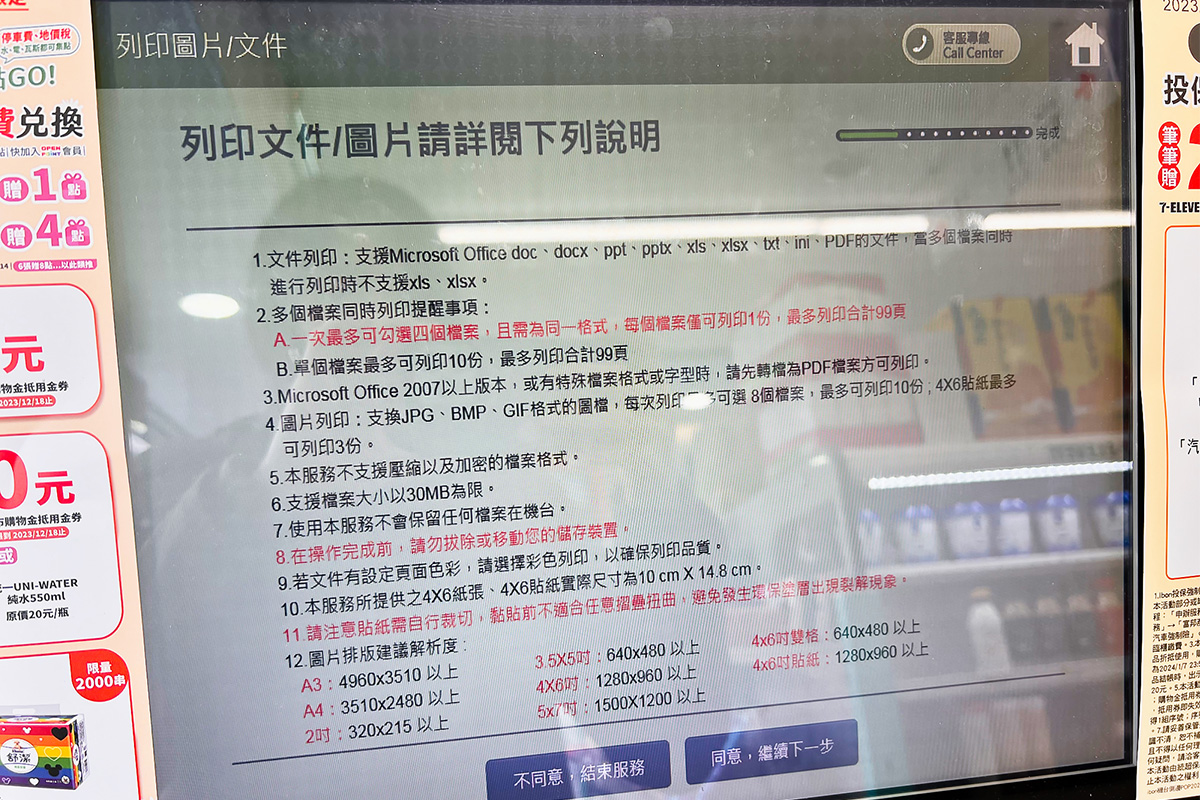
5. Tap "Agree"
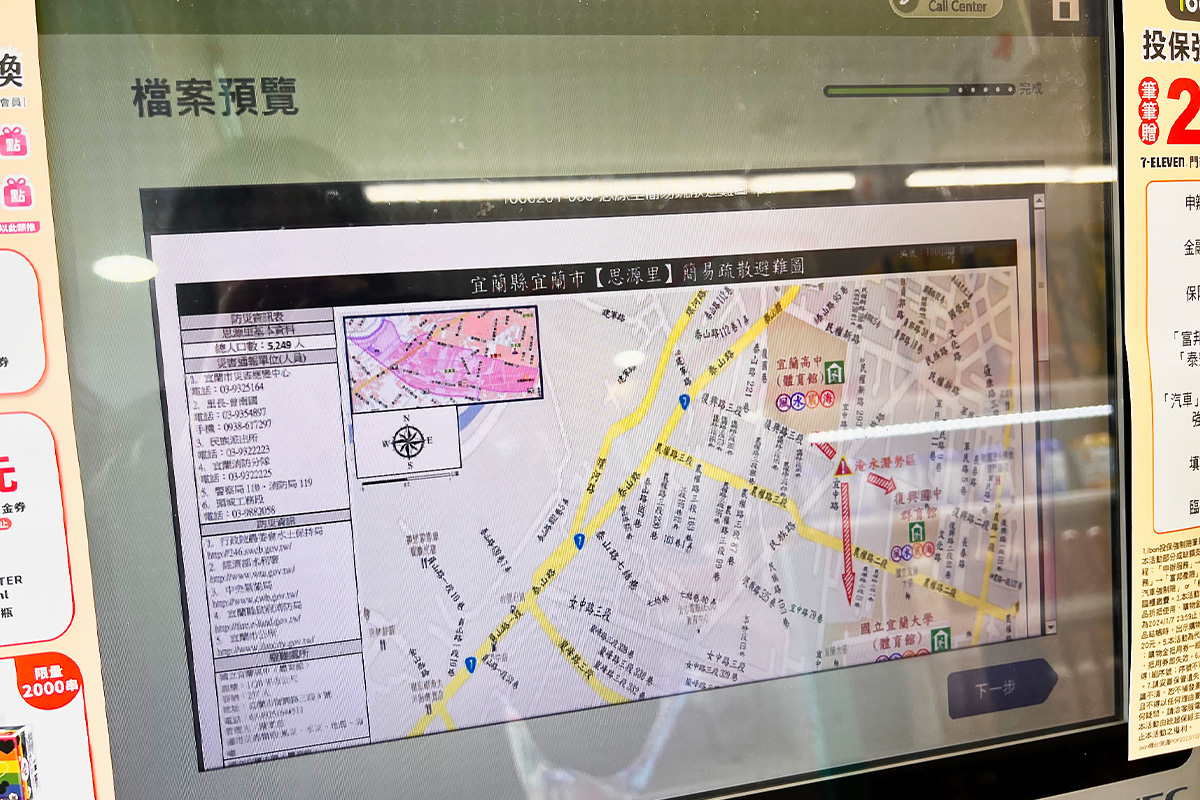
6. Confirm the file is correct, then tap "Next"
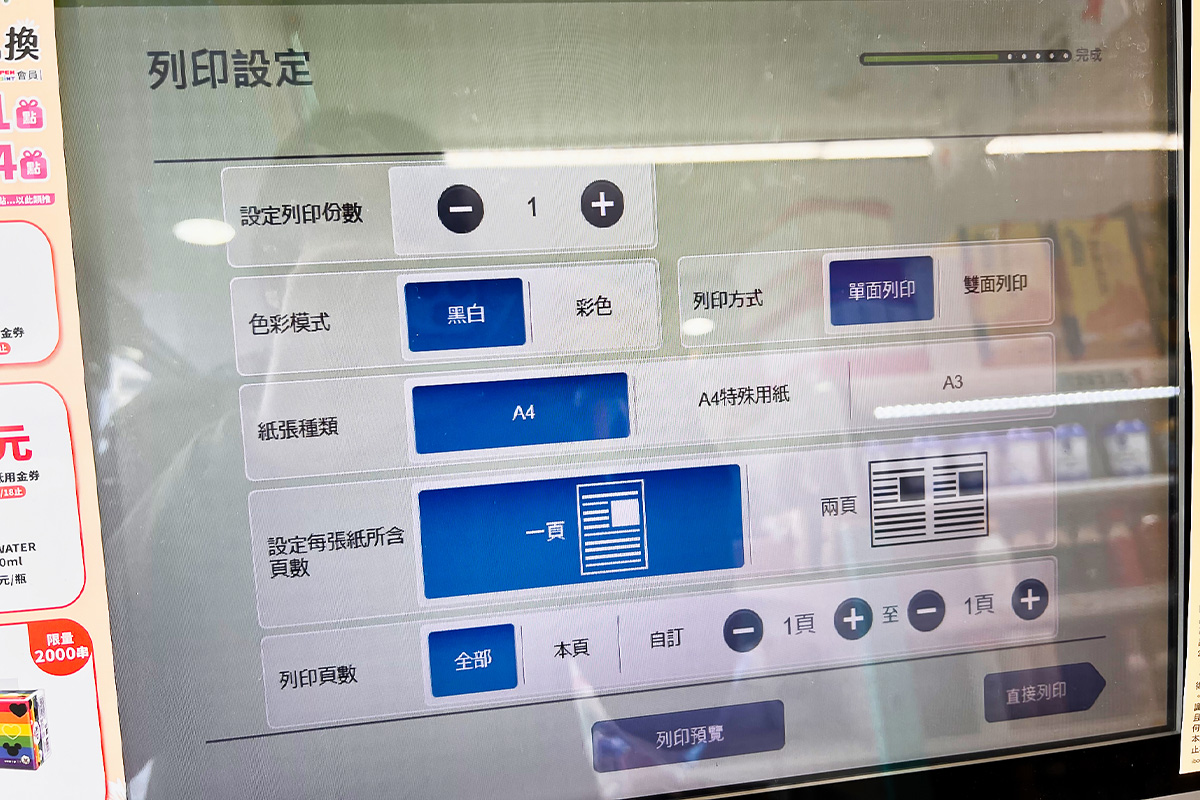
7. Choose your number of copies, black-and-white or color, single- or double-sided
(Below are my settings — they're also the ibon defaults.)
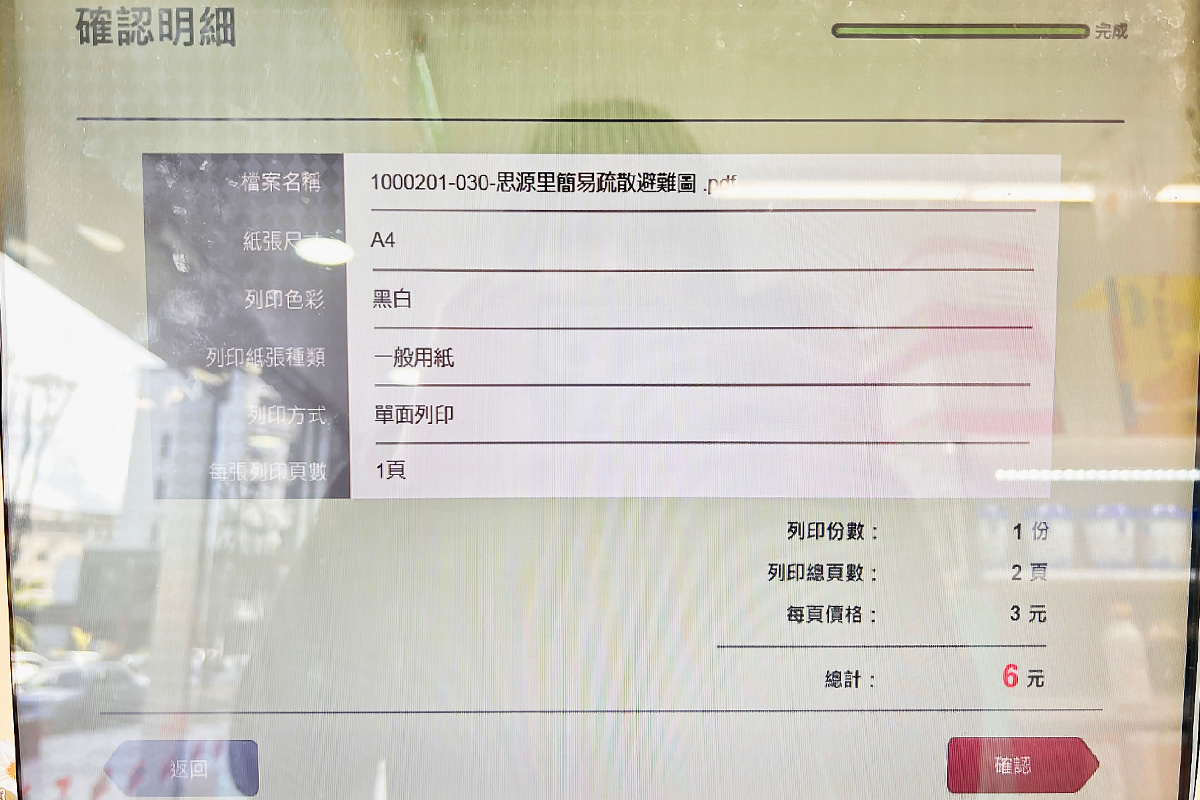
8. Review the details and price
Once you've confirmed your settings and previewed the file, ibon will show you the final print settings and the total cost. If everything looks right, tap "Confirm" and the printer will start.
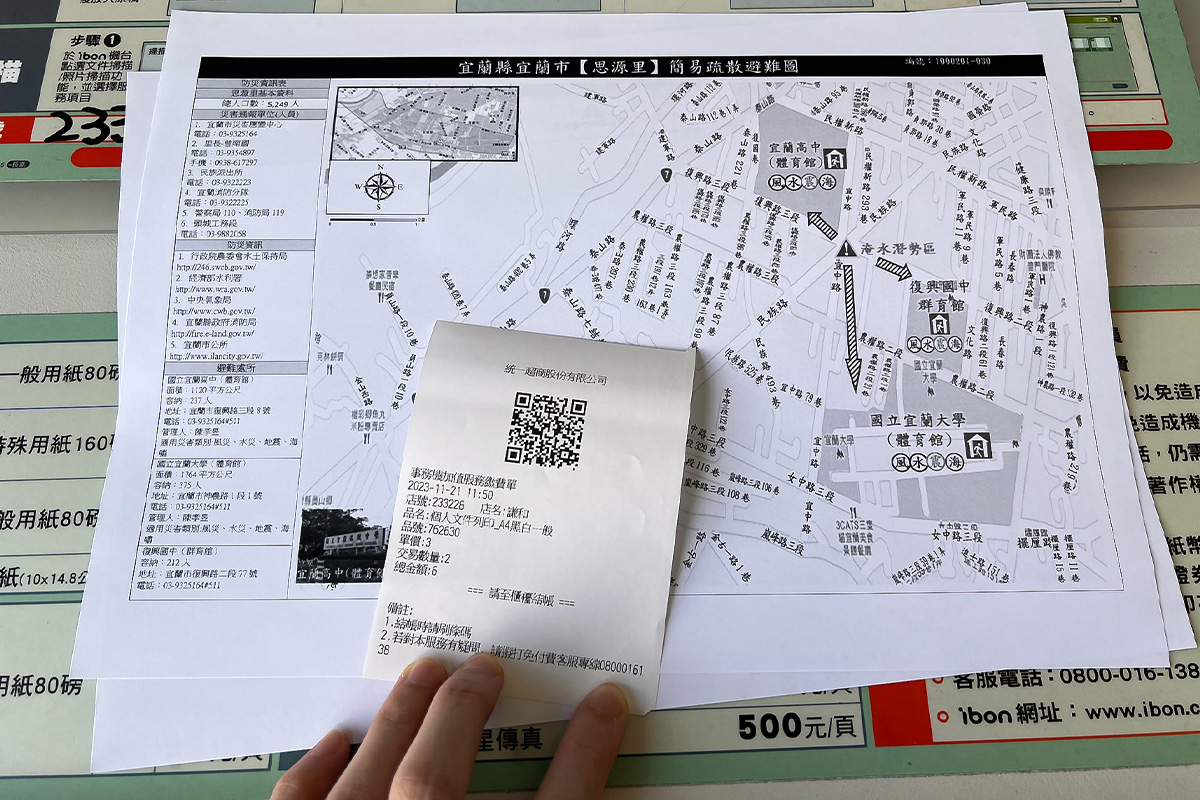
9. Printing complete — head to the counter to pay
After printing, ibon will produce a small payment slip. Be sure to take that slip up to the counter to settle the bill!
Some of you might be thinking, "Printing sounds like such a hassle — can't I just keep the files on my phone?"
The thing is, when a disaster strikes, there's no guarantee your phone will be fully charged — and there's a real chance it could even be damaged and unusable. Communication is also critical during a disaster, which makes every percent of battery precious. Pulling up maps, discussing evacuation routes with family — all of it eats away at your battery in moments you really can't spare it.
So our recommendation is still this: print your maps out. It's the safer bet. Every extra layer of preparation adds another layer of protection — and another reason your evacuation will go the way you planned.
|
|
Bonny I'm Bonny. There's a whole cast of contradictory souls living inside me — I love reading quietly on my own, but every now and then I lock myself in my room and blast heavy metal at full volume. I'm obsessed with productivity tools and chasing personal efficiency, but I'm also hopelessly hooked on teamwork — I can't kick the thrill of chasing dreams alongside my crew. I care about social issues and international politics, and I believe that rather than being afraid of disasters, it's better to understand them and prepare in advance. I take this column seriously, because I believe that as long as I keep writing, there's a chance I can help save more lives. ❤️ |