How Do You Actually Fit Both Sides of an ID on One Page?! A Step-by-Step Guide to ID Copying at 7-Eleven
Keeping copies of important documents in your emergency kit matters because, when disaster strikes, your originals may be damaged — or you may need to prove your identity or family relationships to government personnel on the spot.
That said, plenty of people have never actually used 7-Eleven's ID copy function, so today we're heading into a store for a hands-on walkthrough.
The "Double-Sided ID Copy" feature is genuinely useful: it prints both sides of your ID onto a single sheet, and you're only charged the single-sided rate.
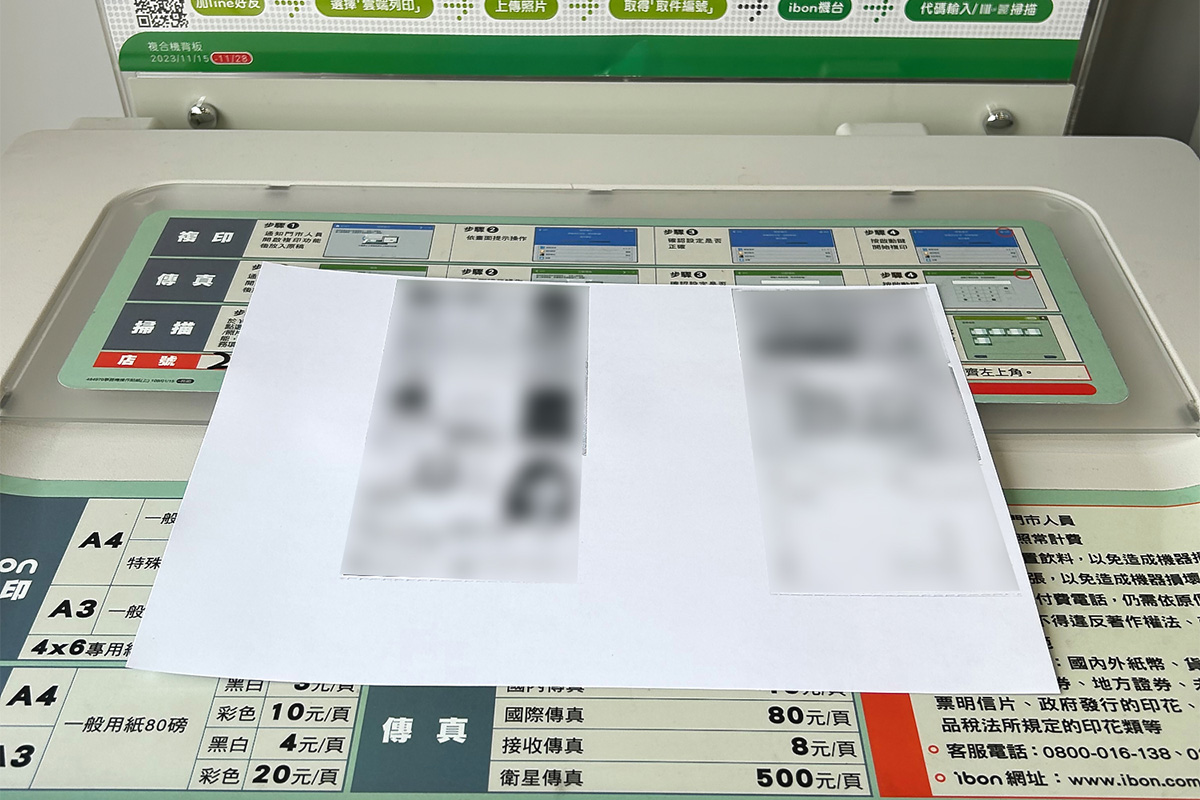 Here's what the finished copy looks like — A4, single-sided, black and white. (Personal details have been blurred for privacy.)
1. Let the staff know you'd like to use the copier
You'll need to wait for staff to unlock the machine before it'll respond — otherwise nothing will happen.
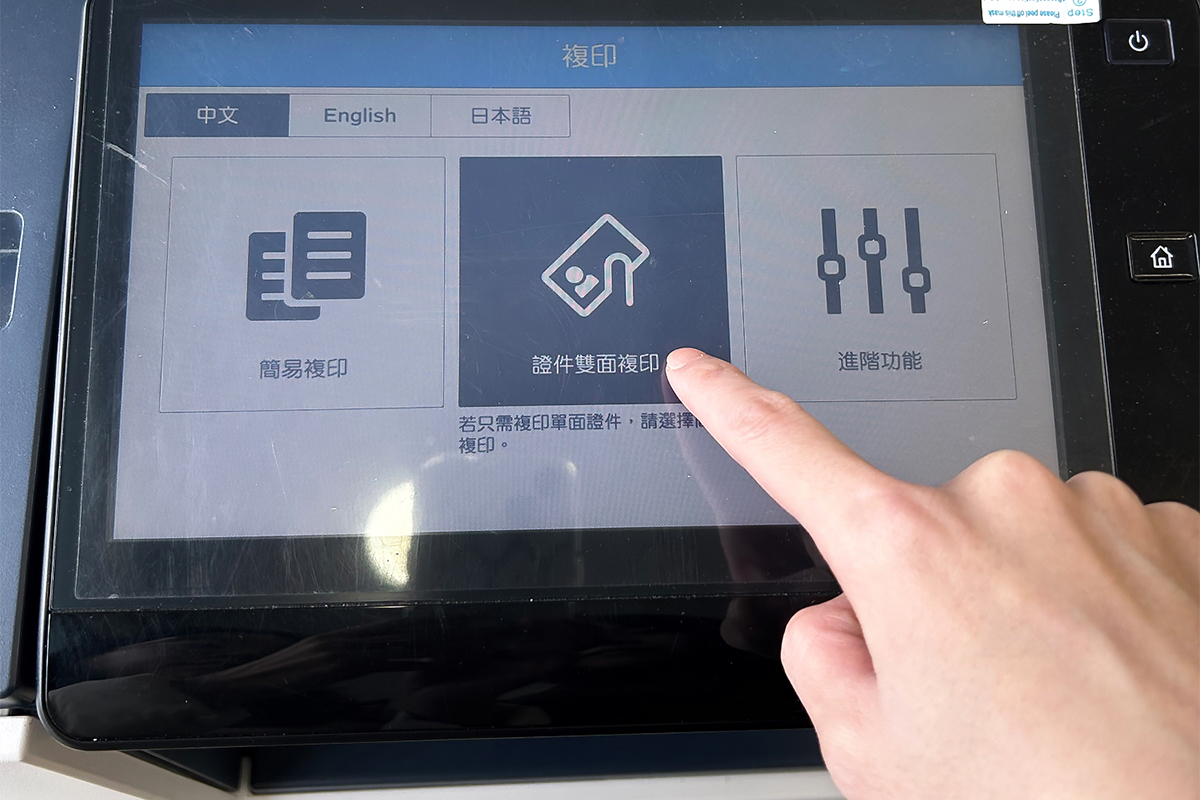
2. Tap "證件雙面複印" (Double-Sided ID Copy) on the touchscreen
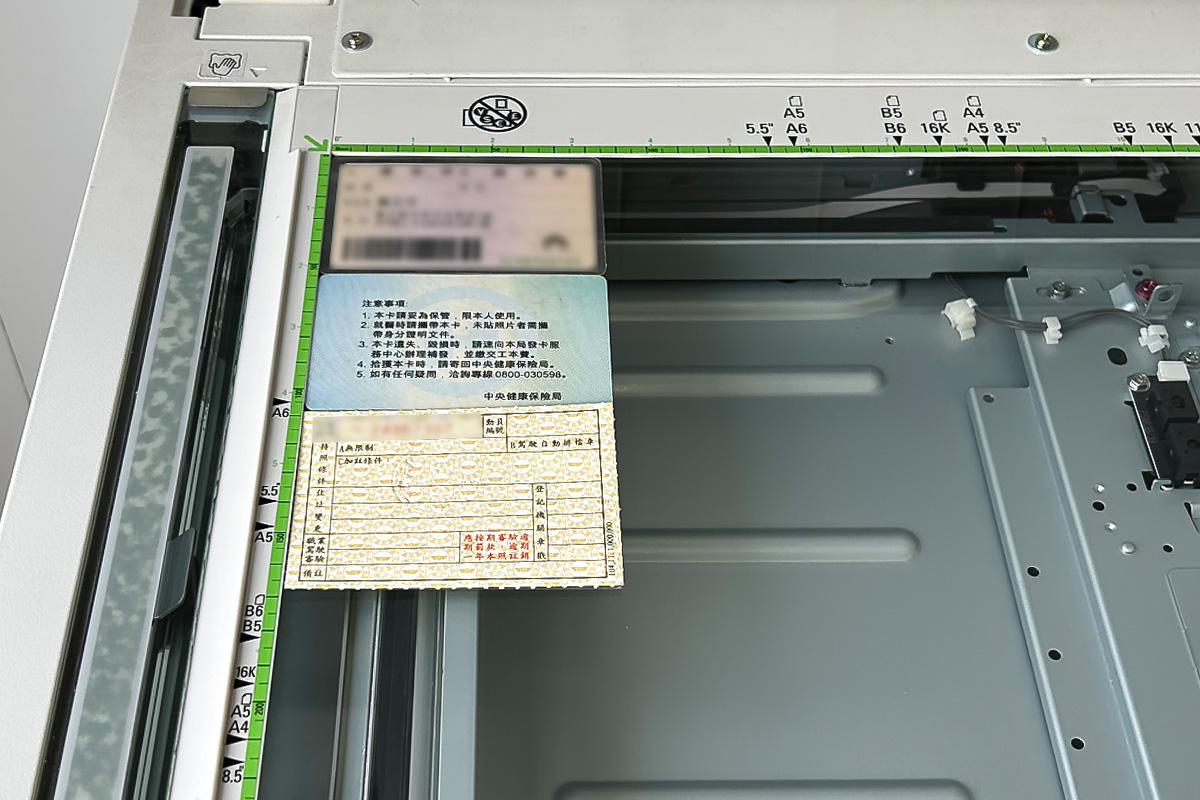
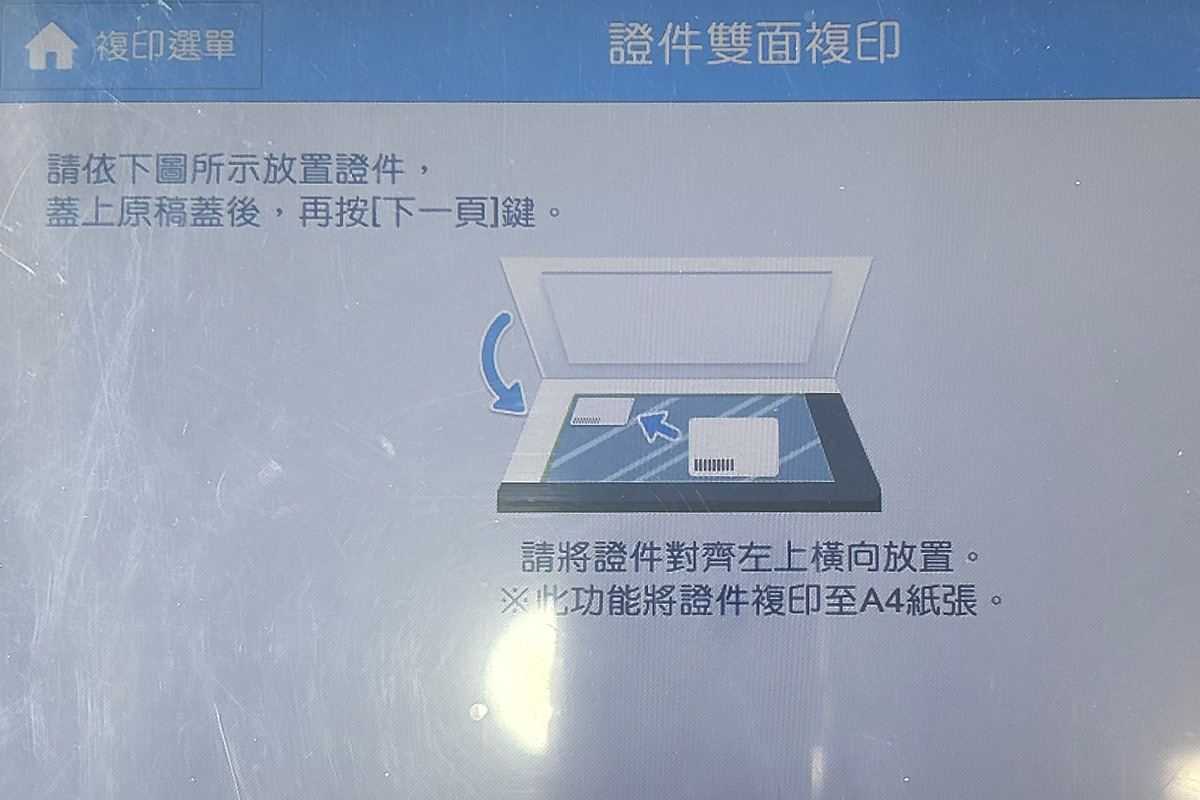
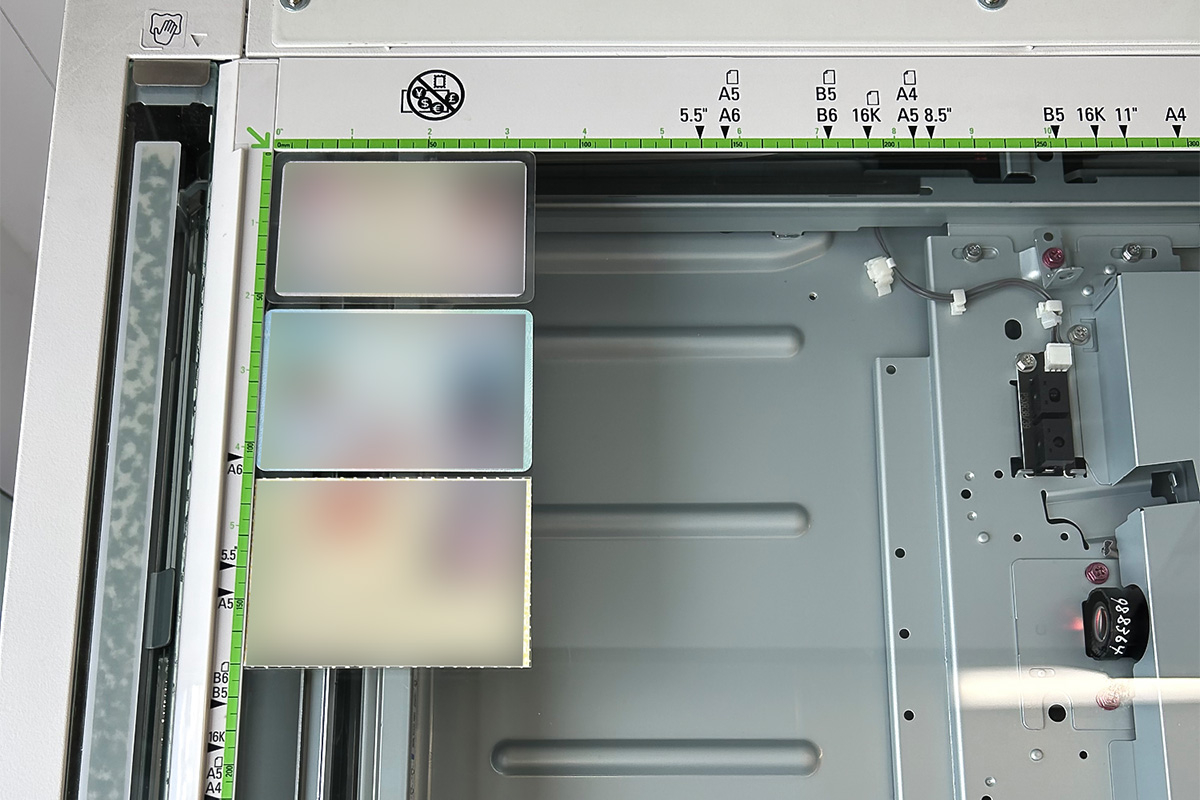
3. Lay your IDs flat on the glass
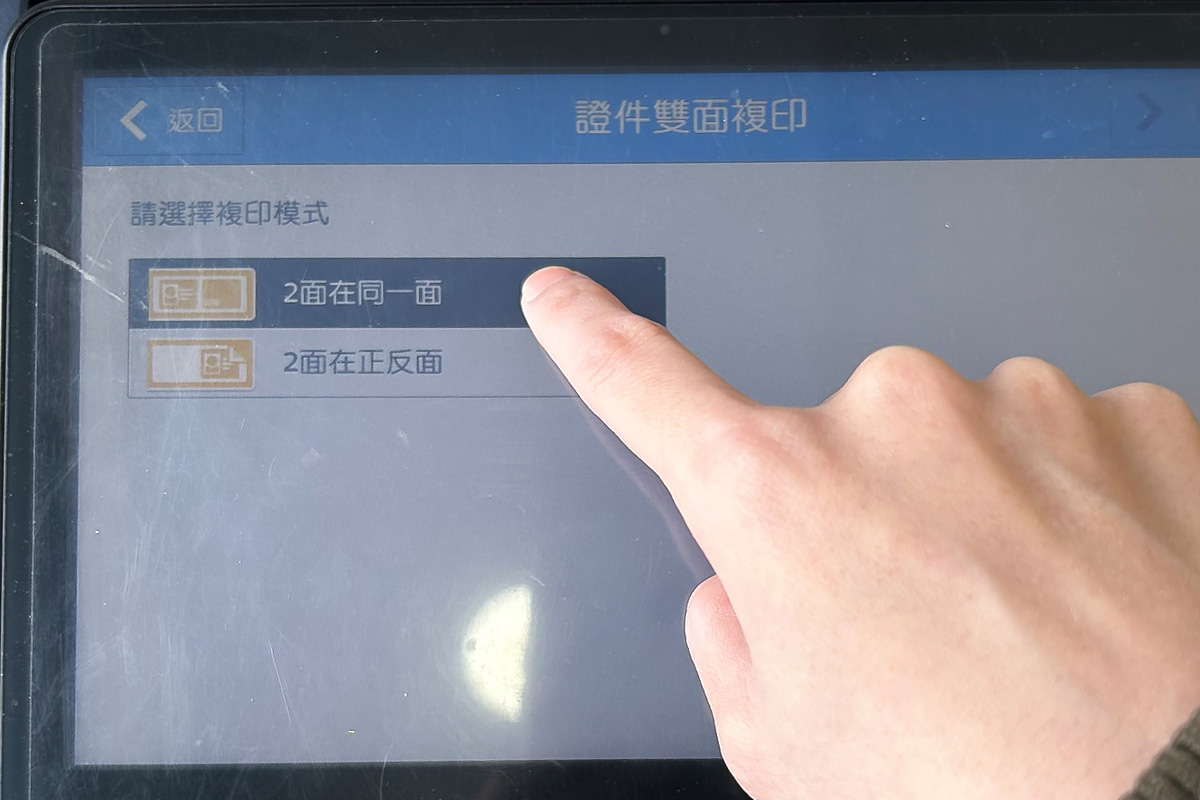
4. Tap "2面在同一面" (Both Sides on One Page) on the touchscreen
If you'd rather print them onto the front and back of the sheet instead, choose the option below it.
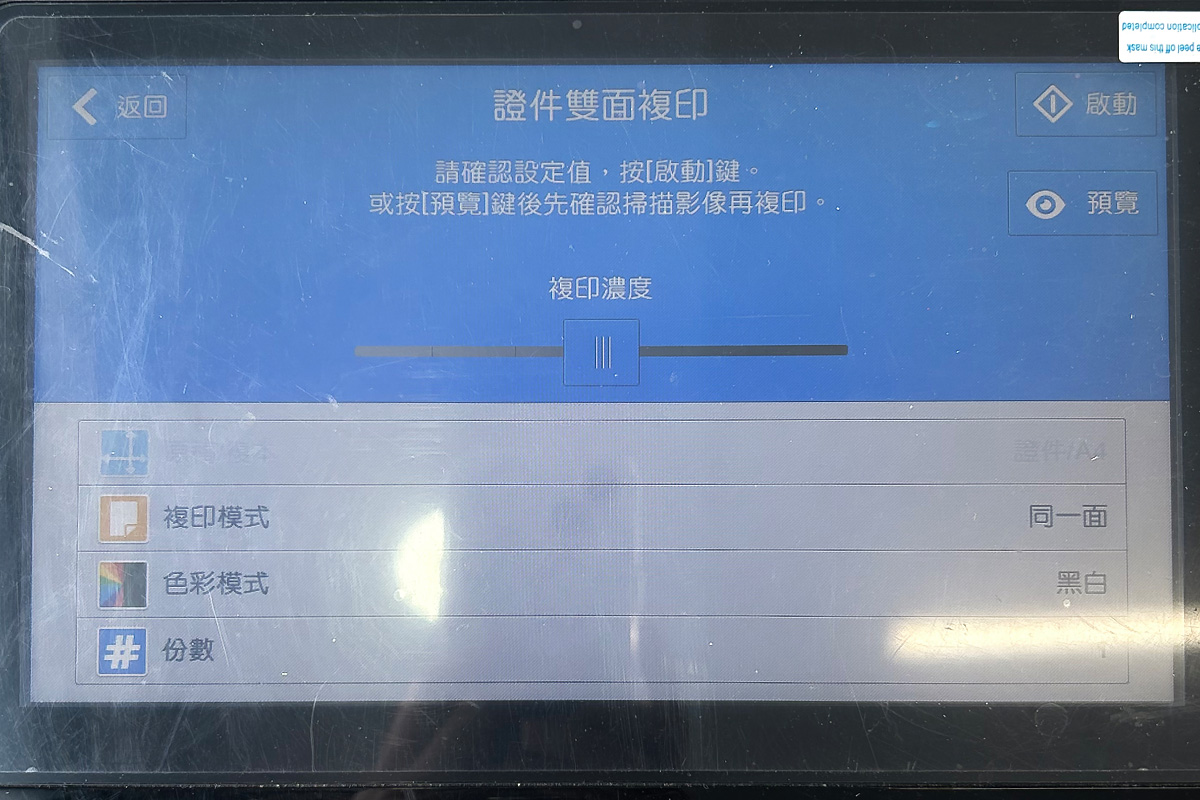
5. Confirm your settings, then tap "預覽" (Preview) or "啟動" (Start)
You usually won't need to adjust the density. This screen is also where you choose black-and-white vs. color and set the number of copies.
Once you tap "啟動", the machine scans the first side of your ID. Then you flip the card over and the copy is finished.
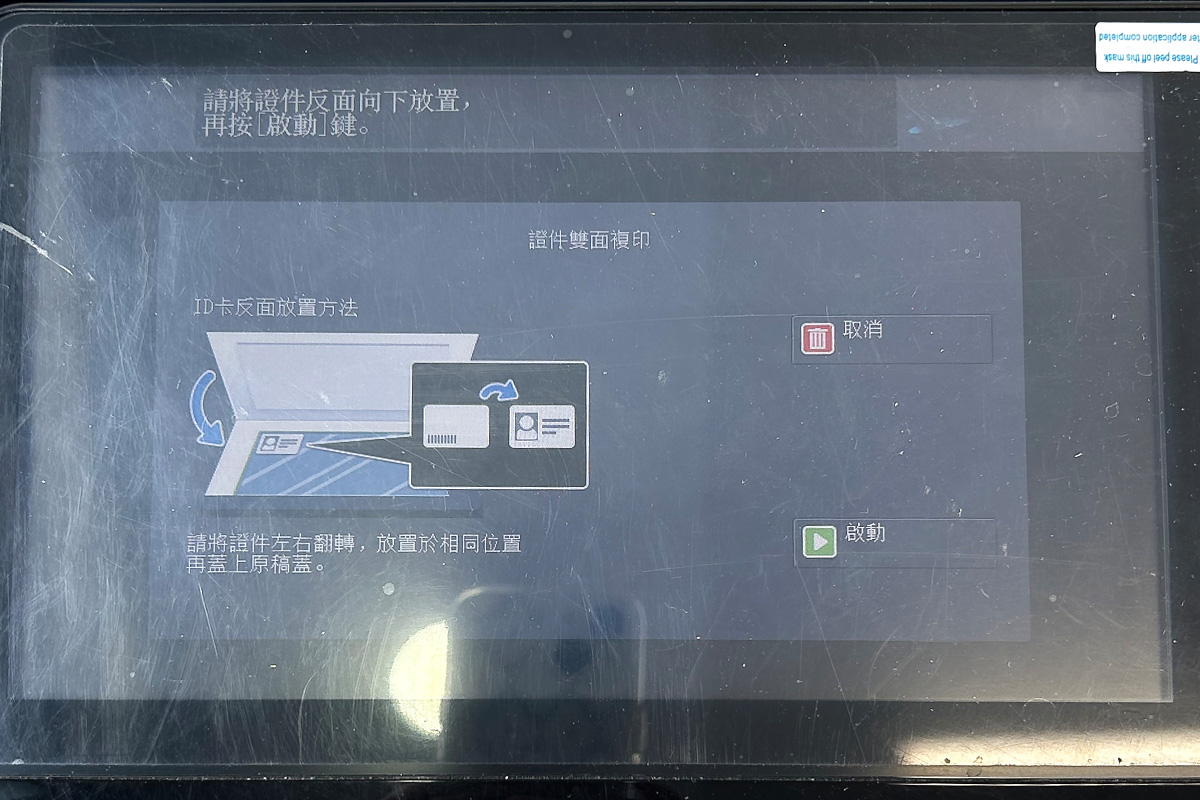
6. Flip the ID and place it back in the same spot
This is the step that trips most people up. The copier is smart enough to handle the front/back orientation for you, so when you flip the card, don't move it — keep it in exactly the same position.
7. Preview the output. If it looks good, tap "列印" (Print).
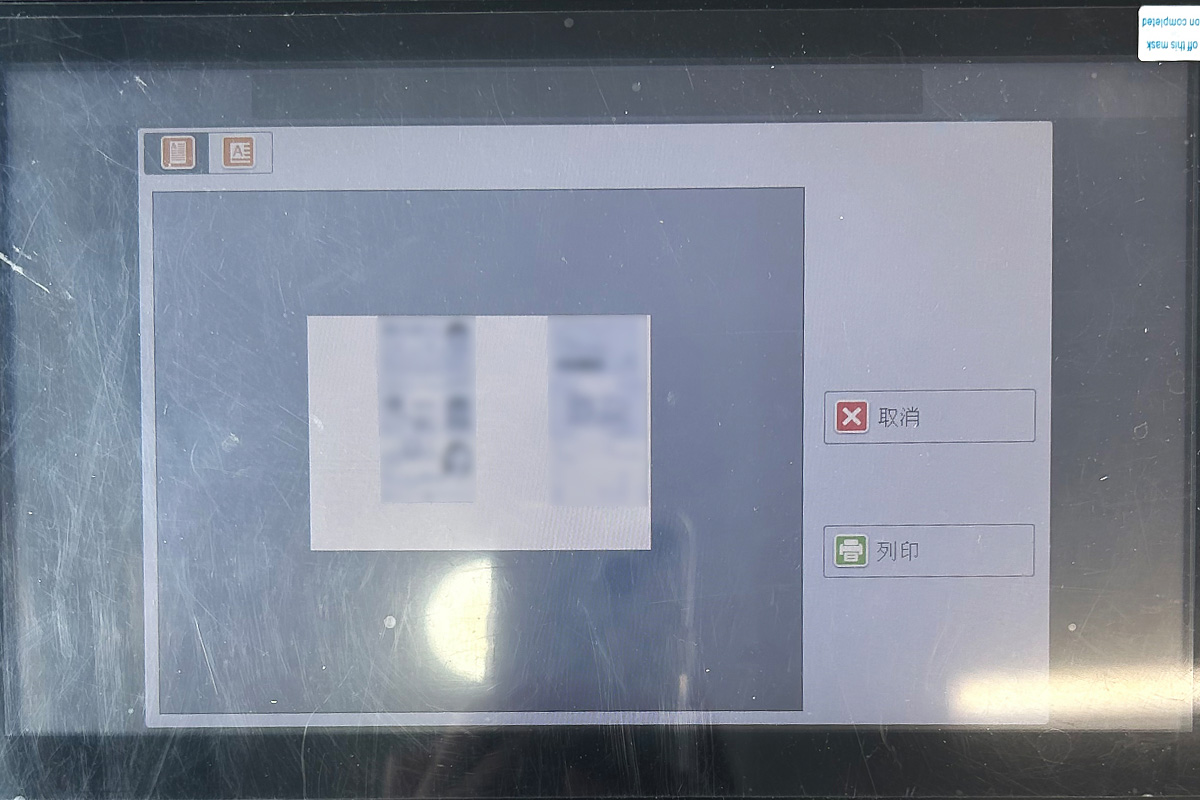
8. Done!
ID copying may feel like a fiddly little errand, but that "little errand" can make an enormous difference to your survival when something actually goes wrong.
So next time you walk past a 7-Eleven, consider stopping in to make a copy — it only takes about 10 minutes. You could also bring your passport along and copy that at the same time; it'll come in handy on future trips abroad.
(Generally speaking, when travelling overseas it's worth carrying a separate passport copy in case the original goes missing and you're left without ID.)
|
|
Bonny I'm Bonny — a few conflicting souls share the space inside me. I love reading quietly on my own, but every so often I shut myself in my room and crank up heavy metal at full volume. I'm obsessed with productivity tools and chasing personal efficiency, but I'm also hopelessly addicted to teamwork — I can't shake the rush of pursuing big dreams alongside the people I work with. I follow social issues and international politics closely, and I'm convinced that understanding disasters and preparing for them is far more useful than fearing them.I take writing these columns seriously, because I believe that if I just keep at it, there's a real chance these words will help save more lives. ❤️ |