Check the Disaster Risks Around Your Home! Use the "3D Disaster Hazard Map" to Generate an Instant Analysis Report
Today, Bonny is going to show you how to quickly find out which disasters are more likely to occur near where you live.
The「3D Disaster Hazard Map」is a government-built website. It's run by the National Science and Technology Center for Disaster Reduction (NCDR), which pulls together data from various government agencies and turns it into a map the public can query.
In the past, looking up this kind of information meant visiting several different government websites, each with its own interface and quirks — genuinely inconvenient. Now you only need a single site, "3D Disaster Hazard Map", and in just a few minutes you can run a query and generate a quick analysis report. If you want to dig deeper into where the hazard areas actually are, the map makes that easy too.
Below we'll walk through how to use the site on both a computer and a phone. If the area you want to check doesn't have a street name, you'll need to query by latitude and longitude — there's a guide for using Google Maps to look up coordinates at the bottom of the article, so feel free to skip ahead if you need that first.
- Website: 3D Disaster Hazard Map
- URL: https://dmap.ncdr.nat.gov.tw/1109/map/
- Type: Government public-data query (free)
- Interface language: Traditional Chinese
- Platform: Any web browser on computer or phone
1. How to Use the Site on a Computer
When you first enter the site, you'll see a brief walkthrough of the interface. You can just glance at it — we'll be guiding you step by step, so don't worry if you didn't catch everything the first time.

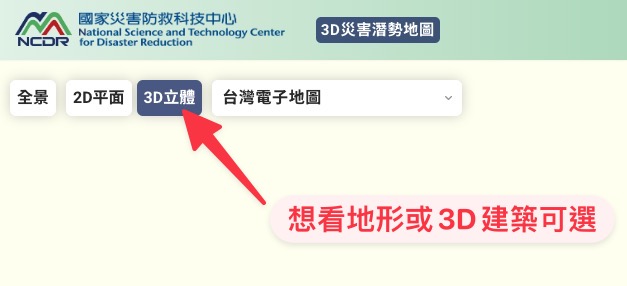
One of the standout features of this tool is the 3D view, which makes it easier to see terrain and building models in proper perspective.
Bonny personally finds it much more intuitive once 3D is enabled, so I recommend turning it on right away.
Next, click the "Address Search" (地址查詢) button and enter the address you want to look up.
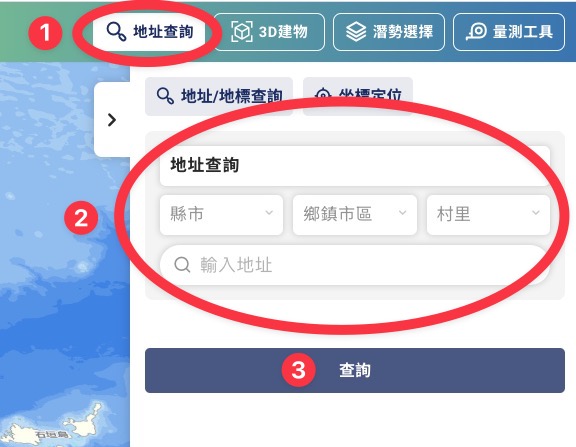
The village/borough field doesn't appear to be required — every search I've run without filling it in has still landed on the correct location. If you do need to fill it in, you can look it up at the "3+3 Postal Code" website.
Once the address is entered, click "Search" (查詢).

The map will jump to the address you entered. From here, click "Hazard Selection" (潛勢選擇), then "Hazard Analysis" (潛勢分析).

A new tab will open with a quick report for the location you searched. Scroll down to see which categories are flagged as "hazard areas" for this spot.

Taking the National Taiwan Library in No. 4 Park, Zhonghe District, New Taipei City as an example, the analysis shows both "Flood Hazard" and "Soil Liquefaction Hazard Area" highlighted in orange — meaning the answer is Yes.

Look closely at the flood hazard entry: it notes that the location itself isn't directly in a hazard area, but there is one within a 500-meter radius. So where exactly? Let's head back to the map and find out.
Return to the map, then click "Hazard Selection" (潛勢選擇) → "Hazard Layer" (潛勢圖層) → "Flood Hazard" (淹水潛勢), tick the "Flood" (淹水) option, and select the scenario flagged in the report. The flooded areas will then appear directly on the map.


Zoom out a bit — at this point you're looking at the standard 3D map view.

Expand the flood layer, tick "Flood" (淹水), then from the dropdown choose "650mm of rainfall in 24 hours". Blue patches will appear on the map — turns out the higher flood-hazard zones are around the nearby waterways.

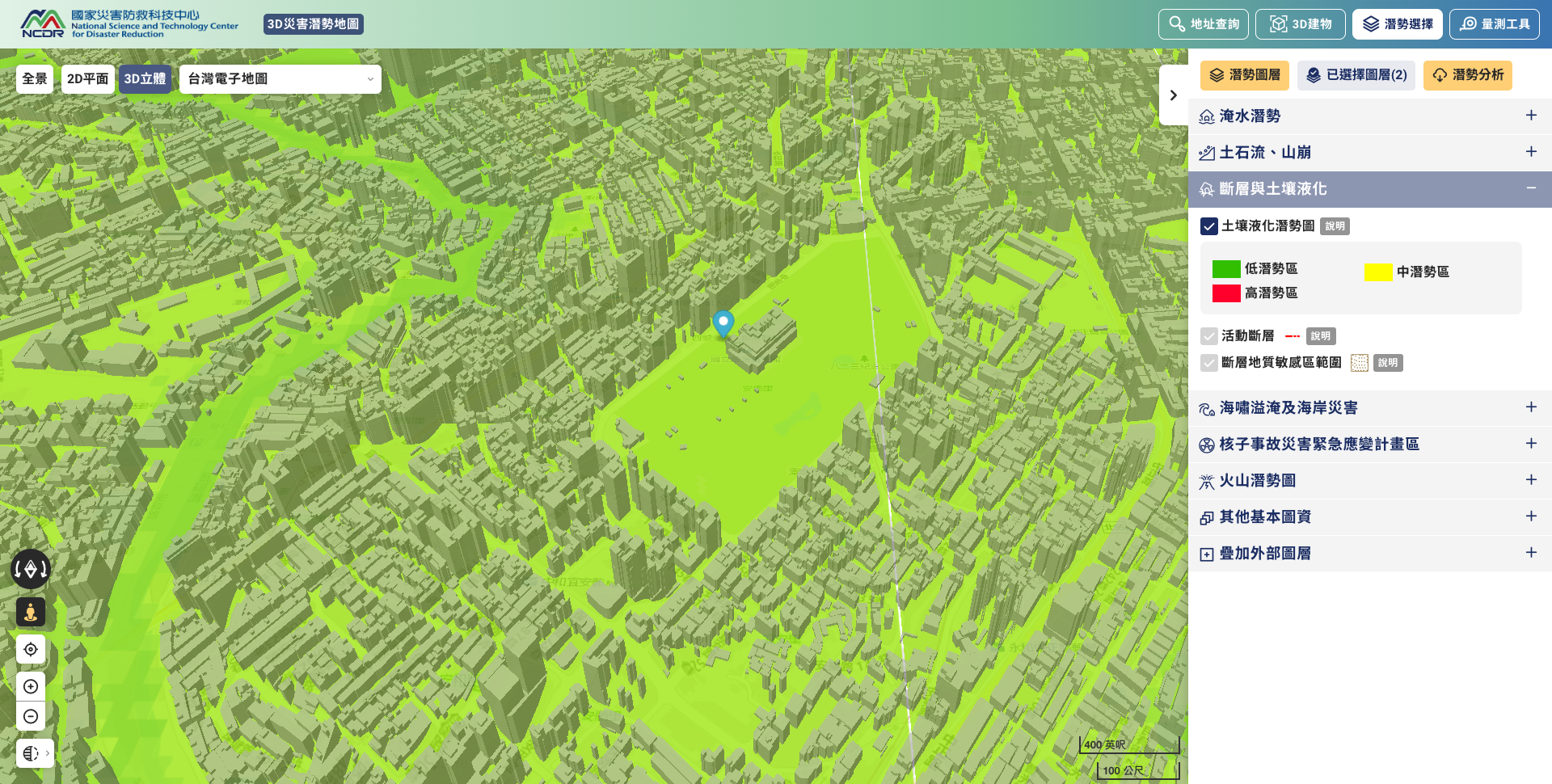
Now switch to the "Soil Liquefaction" (土壤液化) hazard layer. After clicking, you'll see the area covered in green — meaning it's a low-hazard zone.
That covers the desktop version. The screen is larger and the controls are easier to navigate compared to mobile, so we recommend starting on a computer if you can.
2. How to Use the Site on a Phone
Mobile operation is slightly more complex because of the smaller screen, but the basic flow is the same.
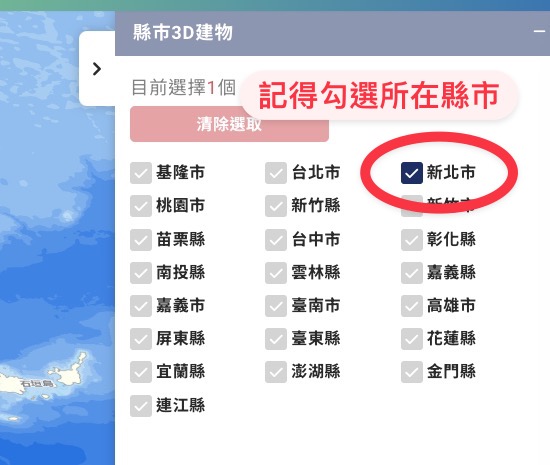
Select "3D", tap the dark blue block on the right, and pick the city or county you want to look up.
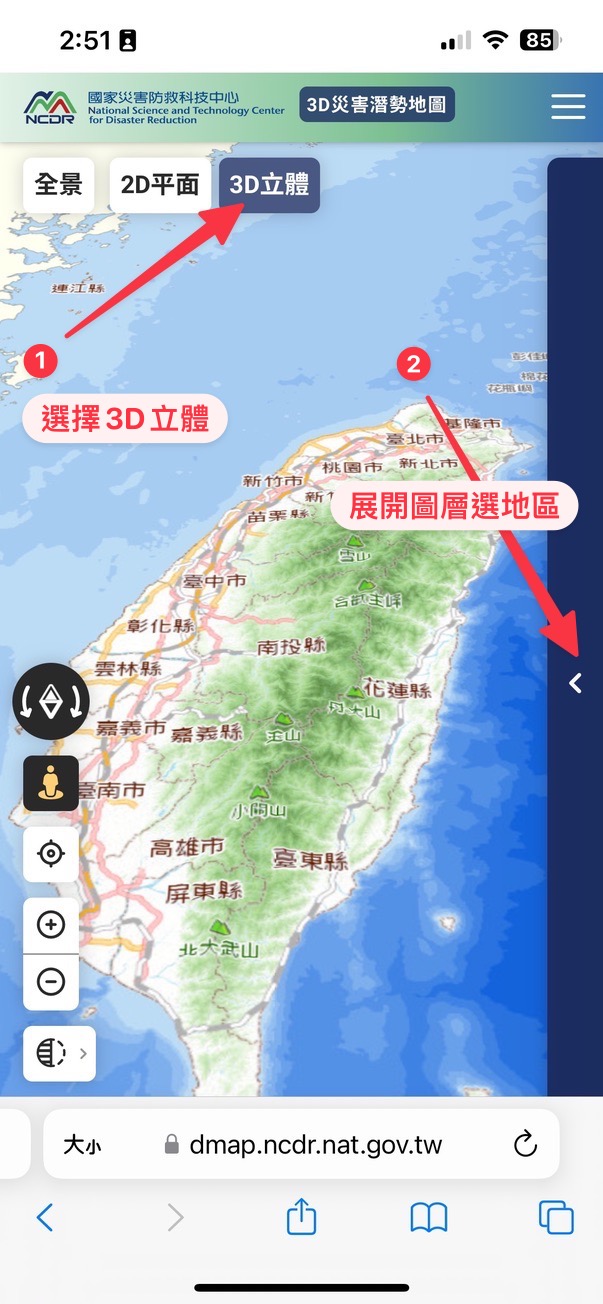

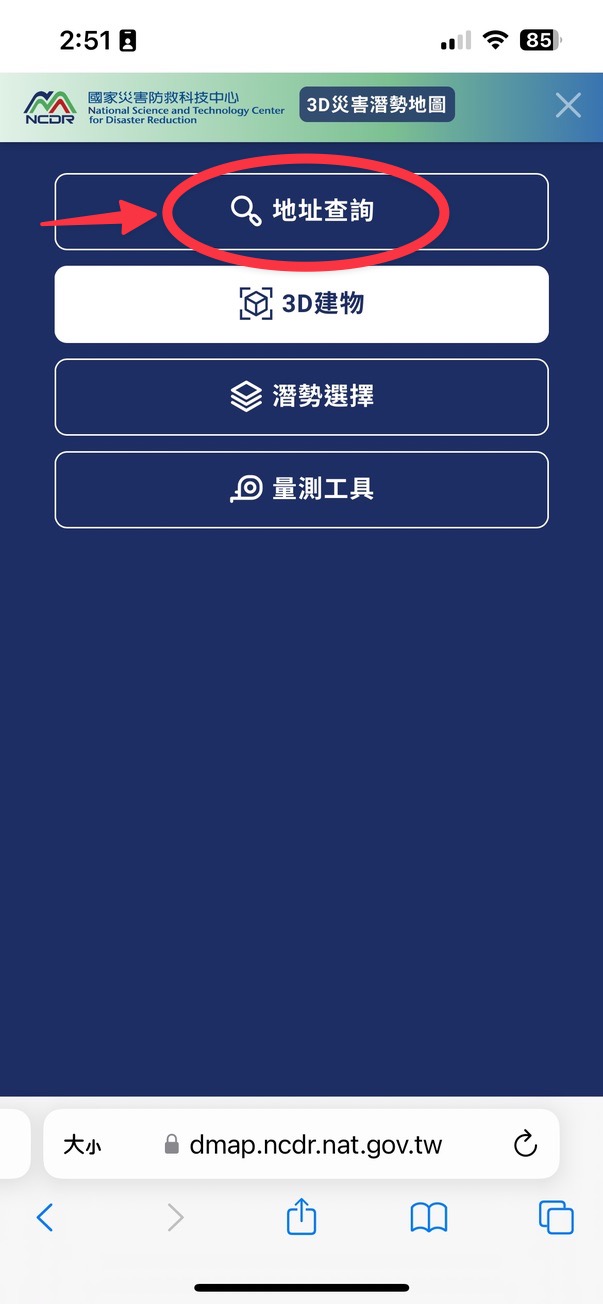
Tap the three-line menu icon in the top right, choose "Address Search" (地址查詢), and enter the address you want to look up.

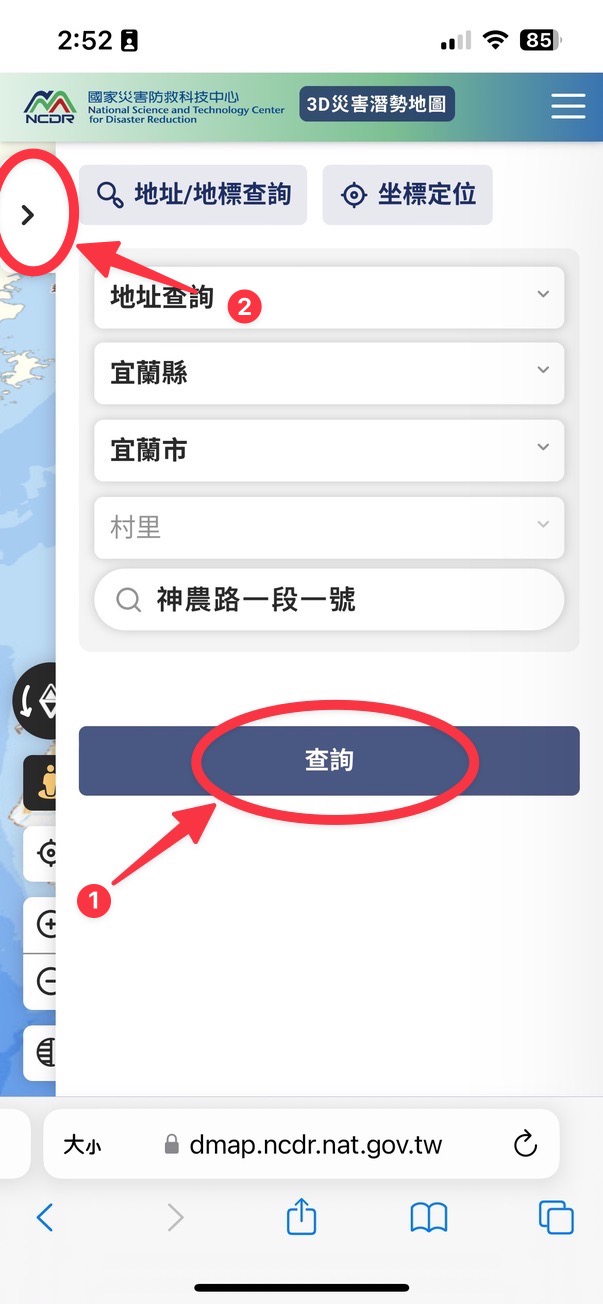
Once you've entered the address, tap "Search" (查詢).
You'll notice the search panel is still on screen, but the map behind it has already jumped to the new location. Now tap the three-line menu again, choose "Hazard Selection" (潛勢選擇), then "Hazard Analysis" (潛勢分析).

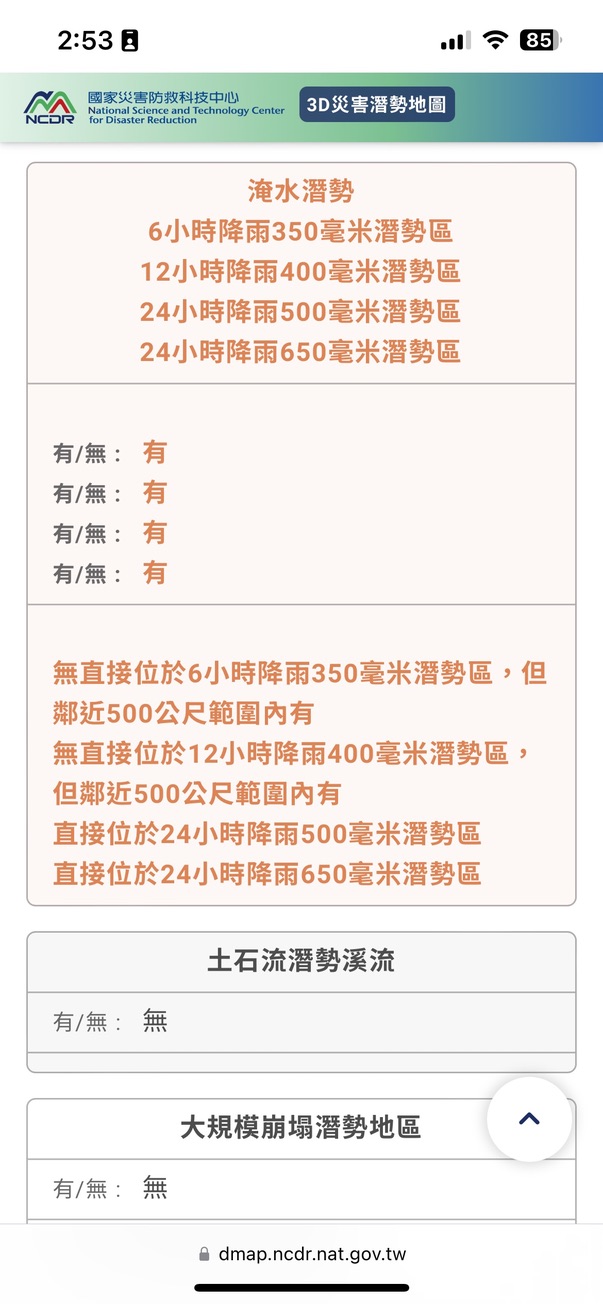
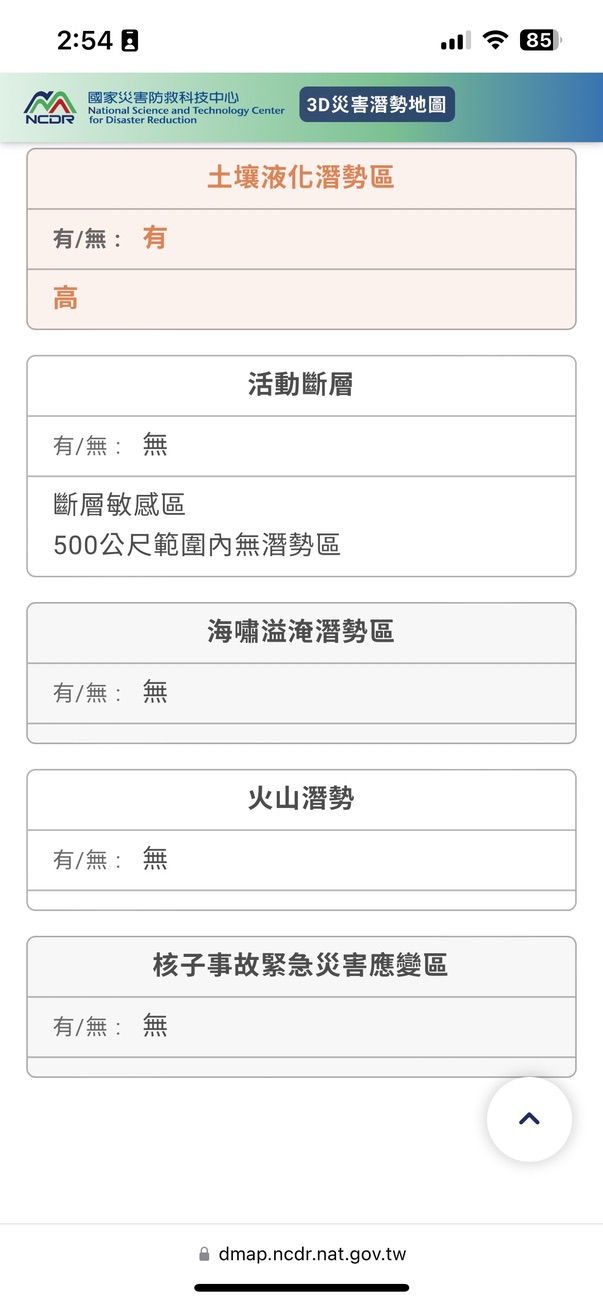
A new tab will open with the quick report for your location. Scroll down to see which categories are flagged as "hazard areas".
Using my current search — National Ilan University — as an example, both "Flood Hazard" and "Soil Liquefaction Hazard Area" show orange, meaning Yes.
Now head back to the map (below is what it looks like to navigate back to the previous page in your mobile browser).
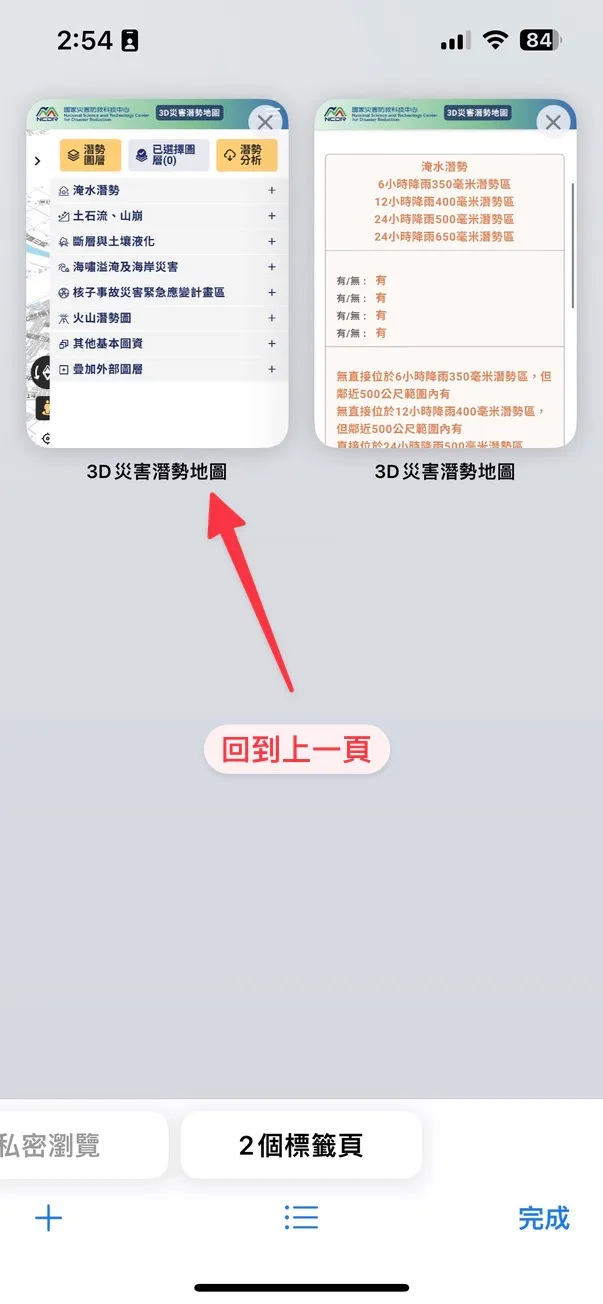
Once you're back on the map, tap "Hazard Selection" (潛勢選擇) → "Flood Hazard" (淹水潛勢), tick "Flood" (淹水), and select the warning category from the report. The relevant zones will then appear on the map.


3. Using Google Maps to Find a Location's Latitude and Longitude
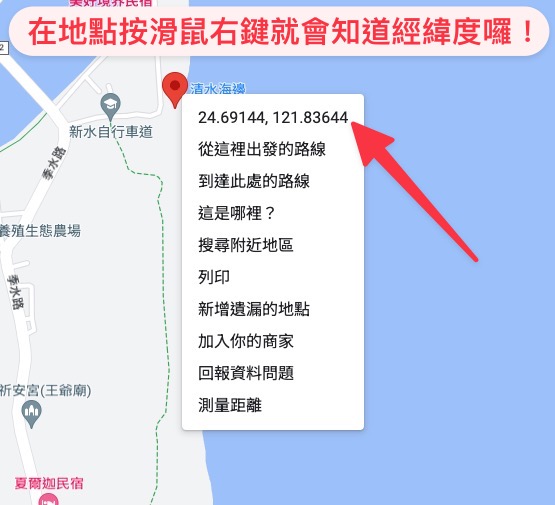
On the desktop version of Google Maps, just right-click on the spot and the coordinates will appear.

If you're using the Google Maps mobile app, tap the spot on the map once, then expand the info panel at the bottom — the latitude and longitude will be shown there.
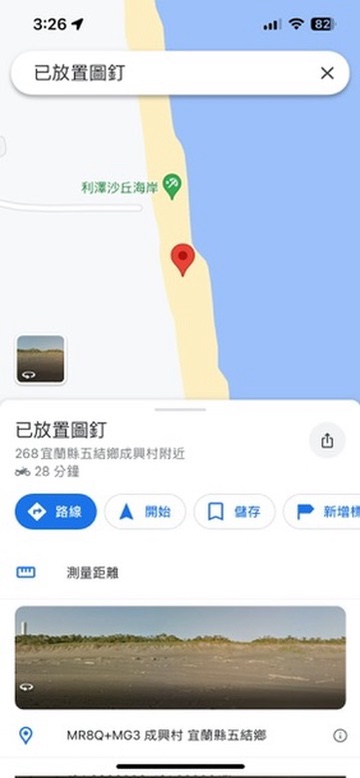
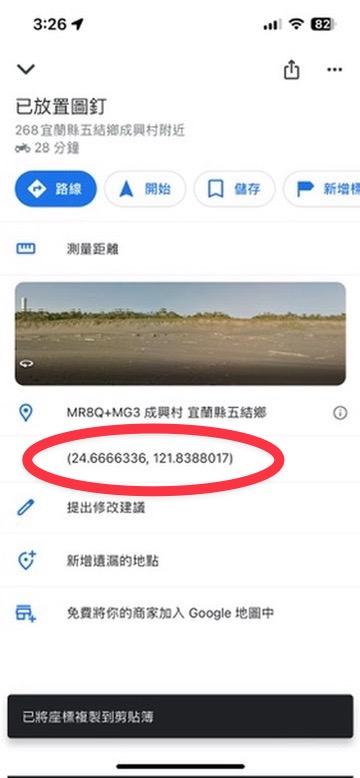
The circled portion in the screenshot is the coordinate pair.
I hope these instructions help you better understand the kinds of disasters that could affect the areas you spend the most time in.
One thing to keep in mind: if your search comes back with an orange hazard flag, there's no need to panic. The analysis is based on scientific modelling and historical data — it indicates possibility, not a 100% certainty that the disaster will occur.
By the same token, if your location shows no hazards at all, that's not a reason to skip preparation entirely. Future disasters could exceed historical conditions in unexpected ways.
Our suggestion is this: if the map flags a particular hazard at your location, treat it as a cue to stay a little more aware of that specific risk and to think through the relevant preparations — simply because the likelihood is somewhat higher than for other categories.
Join us in preparing before disaster strikes, building a correct understanding and a scientific perspective on hazards. That way, you can move through each day prepared — without unnecessary worry.
|
|
Bonny I'm Bonny — there's a whole cast of conflicting souls living inside me. I love reading quietly on my own, but every once in a while I'll lock myself in my room and crank up the metal music. I'm hooked on productivity tools and chasing personal efficiency, yet I'm just as addicted to teamwork — I can't quit the thrill of chasing dreams alongside other people. I care about social issues and international politics, and I believe that rather than fearing disasters, we should learn about them and prepare in advance. I take these columns seriously, because I believe that as long as I keep writing, there's a chance to save more lives. ❤️ |